If you’re looking to add a personal touch to your League of Legends champions, Mod Skin LOL offers a way to apply custom skins. This third-party tool lets you use skins not available in the official game, but is it really safe to use? While it provides some cool features, it’s important to consider both the benefits and potential risks before diving in.
What Is Mod Skin LOL?
Mod Skin LOL is a small, third-party tool designed to allow League of Legends players to use custom skins for their champions. It’s free to download and easy to use, with a file size of just 2.28 MB. It’s compatible with Windows 7, 8.1, and 10. Players from around the globe, including countries like the Philippines, North America, Brazil, Europe, and Russia, love Mod Skin LOL for the freedom it gives to personalize their gaming experience.
While the tool doesn’t impact the gameplay itself, it allows players to apply visual changes, making your champions stand out with custom skins that aren’t officially supported in the game.
Is It Safe to Use?
Before you start using Mod Skin LOL, it’s important to understand the safety concerns involved:
Potential Account Penalties
Riot Games, the developer behind League of Legends, has strict rules against modifying game files with third-party tools. While Mod Skin LOL doesn’t alter gameplay or give an advantage, modifying the game files can still lead to penalties, including account bans. Always be cautious when using tools like Mod Skin LOL, especially if you’re using it on your main account.
Game Stability
Occasionally, third-party tools may cause game instability. Mod Skin LOL is generally stable, but it’s possible to encounter crashes or errors. If this happens, make sure your game files are intact and that you’re using the latest version of the tool.
Security Risks
Downloading Mod Skin LOL from an untrusted source can expose you to viruses or malware. To ensure your computer stays safe, only download the tool from reputable websites.
Tips for Using Mod Skin LOL Safely
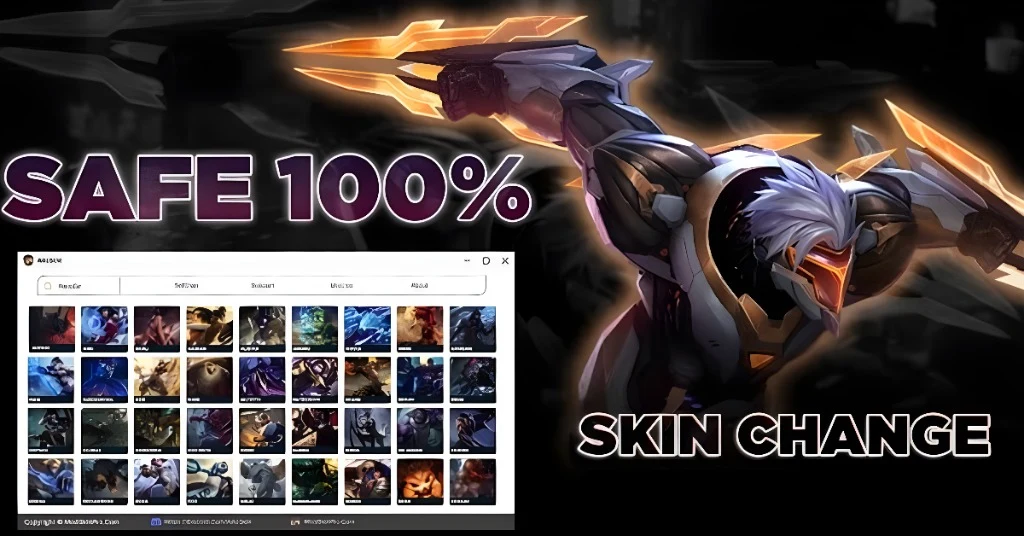
If you’re determined to give Mod Skin LOL a try, follow these tips to minimize potential risks:
Download from Trusted Sources: Always download the tool from a trusted website to avoid malware and security issues. Make sure it’s the official version to prevent viruses.
Avoid Ranked Matches: Use Mod Skin LOL only in normal or ARAM games, where there’s less risk of triggering Riot Games’ anti-cheat system. Avoid using custom skins during ranked play to steer clear of any penalties.
Backup Game Files: Before applying any custom skins, back up your game files. This will allow you to restore the original files if something goes wrong.
Use a Smurf Account: If you’re concerned about getting banned, consider using Mod Skin LOL on a smurf (secondary) account. This way, your main account remains protected.
Why Do Players Love Mod Skin LOL?
Players are drawn to Mod Skin LOL for a variety of reasons:
A Huge Selection of Skins
With Mod Skin LOL, you can access hundreds of unique custom skins. Whether you’re into simple recolors or more elaborate designs, you can find skins for almost every champion in League of Legends.
It’s Free
Unlike official skins in League of Legends that cost RP (Riot Points), Mod Skin LOL is entirely free. You get to enjoy a wide range of skins without spending a dime.
Quick and Easy Setup
The installation process is quick and straightforward. Even players with little technical knowledge can install and start using the tool within minutes.
No Gameplay Impact
Custom skins don’t give any in-game advantages. They’re purely visual, meaning they won’t affect your champion’s abilities or stats.
How to Download and Install Mod Skin LOL Safely
Downloading and installing Mod Skin LOL is quick and easy. Here’s a simple guide to help you get started:
Download the Tool: Find a reliable source to download Mod Skin LOL. Ensure it’s a trusted site to avoid any security issues.
Extract the Files: After downloading the file, extract it to your preferred folder on your PC.
Run the Application: Open the Mod Skin LOL executable file. It will automatically launch, and you’ll be able to access the available skins.
Select Your Champion: Choose the champion you want to customize, and browse through the available custom skins.
Apply the Skin: Select the skin you like, click “Apply,” and enjoy your new look! You can also enable auto-apply to make it easier next time.
FAQs
Final Words
Mod Skin LOL is a fun and free way to customize your League of Legends experience by adding unique skins to your champions. However, it’s essential to stay cautious when using third-party tools. Be sure to download it from a trusted source, avoid using it in ranked matches, and always back up your game files before making any changes.