Exploring the Best Features of Mod Skin LOL |Latest update
If you’re a League of Legends player looking to spice up your gameplay experience, Mod Skin LOL might be just the tool you need. This third-party application allows players to apply custom skins to their champions, providing a fresh and personalized look to the game. In this article, we’ll explore the best features of Mod Skin LOL and why it’s a favorite among many players.
What Is Mod Skin LOL?
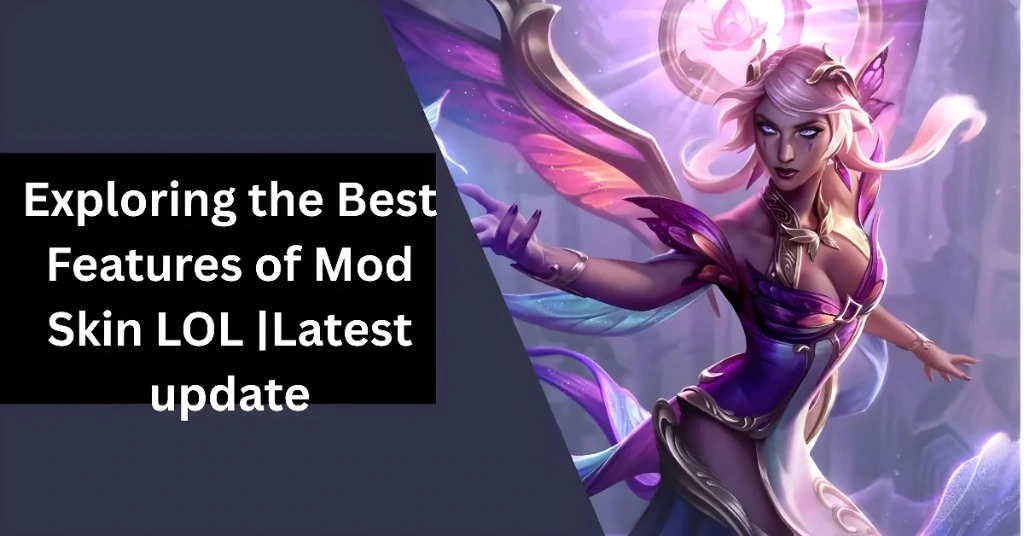
Mod Skin LOL is a third-party tool designed to enable League of Legends players to apply custom skins to their champions. Since League of Legends doesn’t offer a built-in feature for custom skins, Mod Skin LOL fills this gap by allowing players to enjoy unique and personalized skins. The tool is free, easy to use, and doesn’t alter the gameplay mechanics, making it a popular choice for players who want to customize their gaming experience.
Best Features of Mod Skin LOL
Wide Range of Custom Skins
One of the standout features of Mod Skin LOL is its vast library of custom skins. You can find skins for almost every champion in the game, ranging from simple recolors to fully designed skins that completely change the appearance of your champion. Whether you’re looking for a skin that adds a little flair or a complete visual overhaul, Mod Skin LOL has something for everyone.
No Impact on Gameplay
Mod Skin LOL is purely cosmetic. It only changes the appearance of your champions, leaving gameplay mechanics and performance unaffected. This means you can enjoy your custom skins without any worries about gaining an unfair advantage or negatively impacting the game’s balance. It’s a fun, safe way to personalize your experience.
Easy to Use Interface
Mod Skin LOL is known for its user-friendly interface, making it easy to navigate for both beginners and experienced players. The installation and application process is simple and doesn’t require any technical knowledge. With just a few clicks, you can apply custom skins to your champions without worrying about complicated steps or file management.
Lightweight and Fast
Another benefit of Mod Skin LOL is its lightweight nature. The tool is small in size (typically around 2-3 MB), meaning it won’t take up a lot of space on your device. Additionally, it runs efficiently, so you won’t experience significant lag or performance issues while using it. This makes it an excellent choice for players who want to enjoy custom skins without worrying about impacting game performance.
Regular Updates
Mod Skin LOL is regularly updated to ensure compatibility with the latest League of Legends patches. As Riot Games frequently releases updates, the developers of Mod Skin LOL make sure their tool works seamlessly with the most recent version of the game. This ensures that custom skins continue to function as expected after each new update.
Cross-Server Support
Mod Skin LOL supports multiple League of Legends servers, including North America, Europe, Southeast Asia, and Brazil. This means players from different regions can use the tool to apply custom skins, regardless of where they play. The tool is versatile, making it a great option for players from all over the world.
No Need for Client Modifications
Unlike other skin-changing tools that require modifying the League of Legends client files, Mod Skin LOL doesn’t require any deep changes to the game client. This makes it a safer option since it doesn’t alter the game files, reducing the risk of corrupting your game or encountering technical issues.
How to Install and Use Mod Skin LOL
Installing Mod Skin LOL is a straightforward process:
Download and Extract Files
Download Mod Skin LOL from a trusted source and extract the files to a folder on your computer.
Run the Application
Once the files are extracted, open the Mod Skin LOL application. No installation is required—just run the executable file.
Choose a Champion
Select the champion you want to customize from the list within the Mod Skin LOL interface.
Pick a Skin
Browse through the available skins and choose the one you want to apply to your champion.
Apply and Launch the Game
Click “Apply” to activate the skin. After that, launch League of Legends through Mod Skin LOL to ensure the skin is applied correctly.
Risks and Considerations
While Mod Skin LOL offers many benefits, there are a few things to keep in mind:
Account Penalties:
Using third-party tools like Mod Skin LOL is against Riot Games’ Terms of Service, and using it can potentially lead to account suspension or bans.
Security
Only download Mod Skin LOL from trusted sources. Downloading it from unreliable websites can expose your computer to malware or viruses.
Compatibility
Sometimes, skins may not work after a League of Legends update. Ensure that your Mod Skin LOL tool and custom skins are updated regularly to avoid compatibility issues.
FAQs
Final Words
Mod Skin LOL is an excellent tool for League of Legends players who want to customize their champions without spending money on skins. With its easy-to-use interface, extensive skin library, and no impact on gameplay, it’s a great way to personalize your experience. However, always be mindful of the risks involved, including the potential for account penalties and security concerns. If you choose to use Mod Skin LOL, make sure to download it from reputable sources and stay updated.