For many League of Legends players, custom skins are the perfect way to personalize their gaming experience. Since Riot Games doesn’t natively support custom skins, players often turn to third-party tools like Mod Skin LOL 13.4 to bring new looks to their champions. This guide will explore how Mod Skin LOL 13.4 works, its features, and how to safely use it to enhance your League of Legends experience with custom skins.
What Is Mod Skin LOL 13.4?
Mod Skin LOL 13.4 is a third-party application that allows players to modify the appearance of their League of Legends champions with custom skins. Unlike official skins, which players can purchase or unlock through in-game events, Mod Skin LOL offers skins designed by the community or fan-made versions that bring a fresh look to your favorite champions.
This tool doesn’t affect gameplay or provide any gameplay advantages—it only changes the visual appearance of the champions. Mod Skin LOL 13.4 is compatible with Windows 7, 8.1, and 10 and is lightweight (just 2.28 MB), so it won’t slow down your system.
Top Features of Mod Skin LOL 13.4
Here are some of the standout features of Mod Skin LOL 13.4 that make it such a popular tool for League of Legends players:
Huge Selection of Custom Skins:
Mod Skin LOL offers a wide variety of custom skins for almost every champion. Whether you’re looking for simple recolors or elaborate, theme-based skins (like anime-inspired or futuristic designs), there’s a skin for everyone.
Easy to Use Interface:
The tool has an intuitive and easy-to-navigate interface, making it simple for players to apply custom skins with just a few clicks.
No Gameplay Impact:
Since the tool only changes the appearance of champions, it has no impact on the game’s mechanics, stats, or abilities. The skins are purely cosmetic, so the gameplay remains fair.
Lightweight and Fast:
With its small file size, Mod Skin LOL doesn’t slow down your computer or cause performance issues. It’s a light tool that works efficiently on most systems.
Regular Updates:
Mod Skin LOL 13.4 is regularly updated to keep up with new League of Legends patches. The updates ensure that custom skins continue to work smoothly with the latest version of the game.
How to Download and Install Mod Skin LOL 13.4
Follow these steps to download and install Mod Skin LOL 13.4 on your computer:
Step 1: Find a Trusted Source
Download Mod Skin LOL 13.4 from a reliable and trusted source. Websites like loolskin.com or community forums like r/LoLcustom on Reddit are reputable places where you can safely download the tool.
Step 2: Download the Tool
Click on the Download button and save the ZIP file to your computer.
Step 3: Extract the ZIP File
After the download is complete, right-click on the ZIP file and select “Extract All”. Choose a destination folder where you can easily find the extracted files.
Step 4: Run the Application
Once extracted, navigate to the folder and right-click on the LOLSKIN.exe file. Select “Run as Administrator” to ensure the tool runs with the necessary permissions.
Step 5: Select Your Champion and Apply the Skin
Once the application is open, select the champion you want to customize. Browse through the available skins and choose the one you want to apply. Click “Apply”, and the skin will be automatically applied to your champion in-game.
How to Use Custom Skins with Mod Skin LOL 13.4
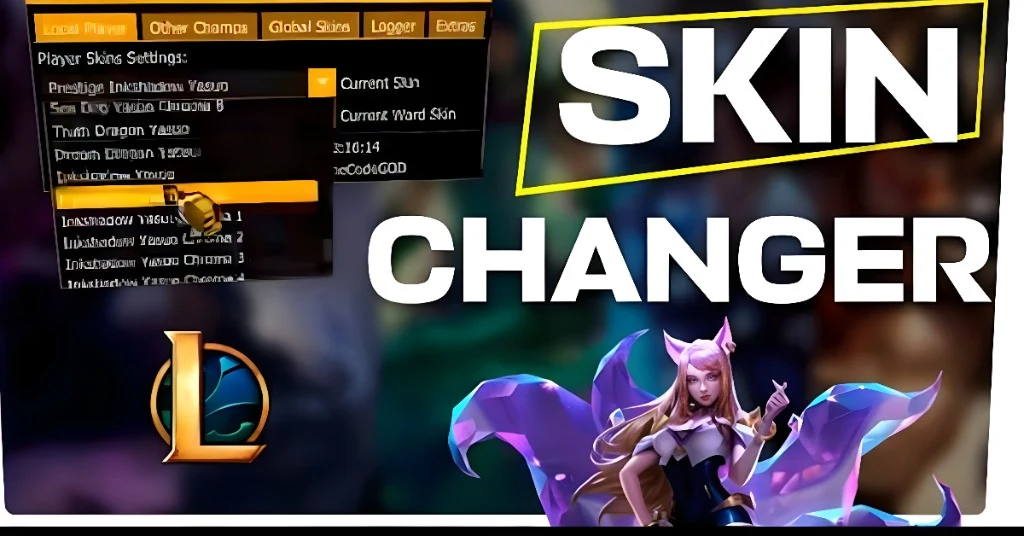
Now that you’ve downloaded and installed Mod Skin LOL 13.4, here’s how you can apply custom skins to your champions:
Launch League of Legends:
Open your League of Legends client and log in as usual. Keep it running in the background.
Open Mod Skin LOL:
After running Mod Skin LOL 13.4, the interface will show a list of available champions.
Choose a Champion:
Select the champion whose skin you want to modify from the list. You can customize skins for a wide range of champions.
Browse and Select a Custom Skin:
After selecting your champion, browse through the various custom skins. These skins can include different themes such as anime, cyberpunk, or even cartoonish designs. Choose the skin that you like.
Apply the Skin:
Once you’ve selected your desired skin, simply click “Apply”. The skin will be applied to your champion the next time you enter a game.
Enable Auto-Mod Skins (Optional):
If you want the skin to automatically apply every time you play the selected champion, enable the “Auto Mod Skin” feature. This saves time and ensures your skins are applied without extra steps.
Risks and Considerations of Using Mod Skin LOL
While Mod Skin LOL 13.4 offers a fun way to customize your game, there are some risks and considerations to keep in mind:
Using third-party tools to modify the game files violates Riot Games’ Terms of Service. While Mod Skin LOL does not affect gameplay, using third-party software could lead to account penalties, including temporary bans or permanent bans, especially if used in ranked matches.
Downloading Mod Skin LOL from unreliable sources can expose your computer to viruses or malware. Always ensure you download the tool from reputable websites to avoid these risks.
Custom skins may not always be compatible with the latest updates of League of Legends. After patches, Mod Skin LOL may occasionally cause crashes or glitches in the game, so make sure the tool is updated regularly.
FAQs
Final Words
Mod Skin LOL 13.4 is an excellent tool for customizing your League of Legends champions with unique skins. It’s easy to use, free, and provides access to a vast array of skins created by the community. However, it’s important to use it responsibly, as modifying game files with third-party tools can violate Riot Games’ Terms of Service.
To ensure a smooth experience, use Mod Skin LOL 13.4 in casual game modes like normal or ARAM games and avoid using it in ranked matches. Always download from trusted sources and keep your game files backed up to prevent issues.