If you’re a League of Legends (LoL) player looking to spice up your game with custom skins, you’ve probably heard of Mod Skin LOL. This third-party tool, introduced in 2015, allows players to apply custom skins to their champions. But before you dive in, let’s explore whether it’s safe to use.
Is Mod Skin LOL Safe?
Using Mod Skin LOL is generally safe if you follow a few precautions. The tool is lightweight (only 2.28 MB) and compatible with Windows 7, 8.1, and 10. It doesn’t alter gameplay mechanics and only changes the visual appearance of your champions. However, Riot Games doesn’t officially support custom skins, and using third-party tools can carry risks. Some players have reported issues with crashes or bugs when using Mod Skin LOL. Additionally, downloading from untrusted sources can expose your system to malware.
Potential Risks of Using Mod Skin LOL
- Account Safety: While Mod Skin LOL doesn’t directly affect gameplay, using third-party tools always carries some inherent risk. Always be mindful of your account’s security, and consider using a backup or secondary account when experimenting with mods.
- Game Policy Violation: Riot Games doesn’t officially support custom skins, and using such tools may violate their Terms of Service. Players should be aware of the potential for account penalties, including bans or other sanctions.
Tips for Safe Use
Download from Trusted Sources: Always download Mod Skin LOL from reputable websites to avoid malware or other security threats.
Avoid Ranked Matches: It’s advisable not to use custom skins in ranked games to prevent any potential issues with account penalties.
Keep Your Game Updated: Ensure that both League of Legends and Mod Skin LOL are updated to their latest versions to maintain compatibility and reduce errors.
Backup Your Files: Before applying mods, back up your original game files to prevent any issues.
Stick to Cosmetic Mods: Avoid using mods that alter gameplay mechanics or give you an unfair advantage.
How to Install Mod Skin LOL Safely
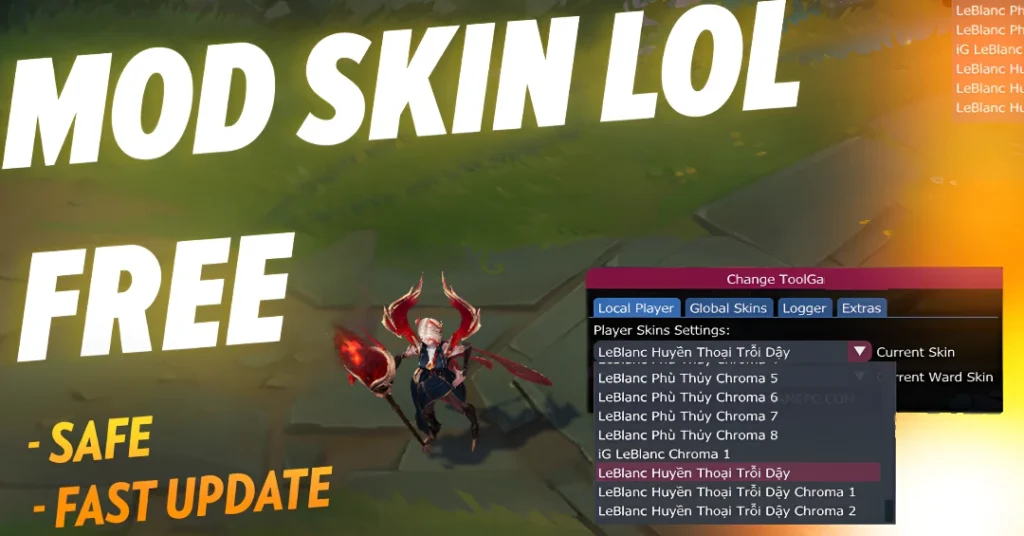
Download the Mod Skin LOL file from a trusted website.
Extract the Files: Once downloaded, extract the files to a location on your computer.
Run the Application: Right-click and select “Run as Administrator” to launch Mod Skin LOL.
Choose Your Champion and Skin: Open League of Legends, pick your champion, and select the skin you want to apply.
Enjoy the Custom Look: After selecting your skin, simply activate it, and you’re good to go.
Alternatives to Mod Skin LOL
While Mod Skin LOL is a popular tool for custom skins, there are other alternatives if you’re looking for something different.
Another third-party tool that offers custom skins for LoL players. It comes with additional features, such as a skin manager for easier organization.
This GitHub project is a free repository of custom skins for League of Legends. It might require some technical know-how to use, but it offers a wide range of skins.
This tool allows you to change skins within the game, offering both free and paid options for enhanced customization.
Why Players Love Mod Skin LOL
Easy to Use: One of the main reasons players love Mod Skin LOL is its simplicity. You don’t need to be tech-savvy to use the tool.
Regular Updates: The tool receives frequent updates to ensure that it remains compatible with the latest patches and skins in League of Legends.
Free and Lightweight: At just 2.28 MB, the tool won’t bog down your system, and it’s completely free to use.
Mod Skin LOL and Global Accessibility
One of the standout features of Mod Skin LOL is its global accessibility. Players from all over the world, including regions like North America, Brazil, Europe, and the Philippines, use the tool to customize their skins. No matter where you are, you can enjoy the same range of skins and personalization features. The tool’s compatibility with popular operating systems like Windows 7, 8.1, and 10 makes it a versatile option for players worldwide.
Troubleshooting Common Issues with Mod Skin LOL
While Mod Skin LOL is generally stable, you might run into occasional issues. Here’s a quick troubleshooting guide to help you resolve common problems:
Skin Not Appearing: If your selected skin doesn’t show up in the game, try restarting both League of Legends and Mod Skin LOL. Make sure both programs are up to date.
Crashes or Freezes: If the game crashes after using Mod Skin LOL, make sure you’ve downloaded the latest version of the tool. Also, check for compatibility issues with your version of League of Legends.
Incompatibility with New Updates: Sometimes, after a major patch for League of Legends, Mod Skin LOL may stop working correctly. Be patient and check for updates to Mod Skin LOL that address compatibility issues with the latest LoL patch.
FAQs
Final Words
In conclusion, Mod Skin LOL is a fun and easy way to add some personal flair to your League of Legends champions. It’s generally safe if you take the right precautions, like downloading it from trusted sites and avoiding use in ranked matches. However, always be mindful of the risks involved, especially when using third-party tools in a game that doesn’t officially support them.
By following the tips provided, you can enjoy your custom skins while minimizing the potential for account penalties or technical issues. So go ahead, personalize your champions, and have fun – but remember to always prioritize your account’s safety!